
4G vs LTE causes confusion because the two words answer different questions: 4G names a network generation, LTE names the radio technology used to deliver it. If you are specifying hardware, neither word decides anything — the modem’s bands and RF ports do.
Short answer: 4G is the network generation; LTE is the radio technology that delivered it, and neither word specifies an antenna.
What that means in practice:
- 4G = the fourth generation of mobile networks, a performance framework defined by the ITU.
- LTE = the 3GPP radio technology that delivered it. Early LTE missed some formal IMT-Advanced criteria; LTE-Advanced met them.
- On screen, carriers and devices show LTE, 4G, or 4G LTE for closely related service.
- For antennas, no label tells you frequency bands, RF-port count, MIMO configuration, connector, or cable loss. Those five inputs decide compatibility.
This guide uses one rule throughout: match the antenna to the modem’s radio configuration, not to the label on the status bar. Below, each term is explained in plain language, then converted into a specification you can actually check.
4G vs LTE at a Glance
\<div class=”rf-solution-table-wrap gfrt-table-scroll”>
| Question | 4G | LTE |
|---|---|---|
| What is it? | A mobile-network generation and performance framework | A family of cellular radio specifications developed by 3GPP |
| Is it one specific technology? | No | Yes, although LTE has evolved through multiple releases and features |
| How are the terms related? | LTE became the dominant path by which operators delivered fourth-generation mobile broadband | Initial LTE preceded the formal IMT-Advanced version; LTE-Advanced met the IMT-Advanced criteria |
| Does one always mean faster service? | No. The label alone does not predict actual throughput | No. LTE performance varies by release, device, spectrum, signal quality, network load, and configuration |
| Does the term select an antenna? | No | No. Match the antenna to bands, RF ports, MIMO configuration, connector, cable, and installation |
\</div>

So asking whether LTE or 4G is universally better misses the point. 4G names the generation; LTE names the technology used to deliver it.
What Is 4G?
4G means the fourth generation of mobile communications. It is broader than one network logo or one radio interface.
The International Telecommunication Union used the term IMT-Advanced for the capabilities that followed IMT-2000, the framework associated with third-generation mobile systems. The ITU describes IMT-Advanced as a platform for advanced mobile services on increasingly packet-based networks. It also identified 100 Mbit/s under high mobility and 1 Gbit/s under low mobility as research targets for IMT-Advanced—not as speeds every user should expect in normal service.
That distinction matters. A standards target, a network’s theoretical peak, and the throughput a modem sees at a particular site are three different numbers.
In 2010, the ITU announced that LTE-Advanced and WirelessMAN-Advanced had met the criteria for the first release of IMT-Advanced. This is the formal standards background behind the phrase “true 4G,” although commercial network labels became much simpler than the underlying standards history.
One comparison makes the difference clear. For 5G (IMT-2020), the ITU defines a user experienced data rate of 100 Mbit/s downlink and 50 Mbit/s uplink — a service-level figure. The 100 Mbit/s attached to IMT-Advanced was a research target, not a promised user rate. Most “4G should give me 100 Mbps” arguments come from mixing those two kinds of numbers.
What Is LTE?
LTE stands for Long Term Evolution. It is a cellular radio system standardized through 3GPP. LTE redesigned mobile data service around an all-IP, packet-switched approach and created the foundation that operators, modem vendors, and device makers continued to improve over many releases.
The first widely deployed LTE specifications arrived before LTE-Advanced. That is why a strict technical explanation separates early LTE from the LTE-Advanced system formally accepted as IMT-Advanced.
For most users, however, LTE was the technology behind the move from 3G-era service to what carriers sold and displayed as 4G mobile broadband. The combined term 4G LTE became a practical way to describe that relationship.
Why Are LTE and 4G Used Interchangeably?
The two terms answer different questions:
- 4G answers: Which generation of mobile network is this?
- LTE answers: Which radio technology is being used?
They overlap because LTE became a primary technology for fourth-generation service. A phone, router, SIM dashboard, or carrier status page may display “LTE,” “4G,” or “4G LTE” depending on the device software, network configuration, carrier terminology, and region.
The icon is useful as a connection-state label, but it is not a complete engineering report. It does not reveal the LTE band, channel bandwidth, carrier aggregation combination, MIMO rank, signal quality, or cell load. For troubleshooting and hardware selection, those details matter far more than the icon.
LTE vs LTE-Advanced
LTE-Advanced is an evolution of LTE, not a separate replacement network. 3GPP introduced major LTE-Advanced capabilities in Release 10, including carrier aggregation and enhanced multi-antenna operation.
Carrier aggregation allows a compatible network and device to combine two or more component carriers. The extra combined bandwidth can raise potential throughput and give operators more flexibility in how they use fragmented spectrum. 3GPP also designed the approach to remain compatible with earlier LTE carriers and devices.
The Release 10 limits are specific and worth remembering, because they shape antenna requirements later in this article: up to five component carriers, each 1.4, 3, 5, 10, 15 or 20 MHz wide, for a maximum aggregated bandwidth of 100 MHz, while staying backward compatible with Release 8/9 carriers and devices (3GPP).
LTE-Advanced also expanded multi-antenna techniques. MIMO (multiple input, multiple output) uses several radio paths to carry more than one data stream at once — but only when the modem, base station, antenna system, and radio channel all support it. 3GPP describes LTE-Advanced as introducing higher-order MIMO, up to 8×8 in the downlink and 4×4 in the uplink (3GPP, LTE-Advanced).
This is not a niche configuration. The GSA counted 375 operators investing in LTE-Advanced across 156 countries as of May 2025 (GSA, LTE to 5G Evolution). In practice, a modem sold today as “LTE” is usually operating on a network with LTE-Advanced features enabled.

These features explain why two connections both labeled LTE can perform very differently. One device may use a single carrier and fewer spatial streams; another may aggregate carriers and use a higher MIMO order. The screen label can look nearly identical while the radio configuration is not.
Is 4G Faster Than LTE?
Not as a universal rule. Comparing the words alone produces a misleading answer.
Early LTE, later LTE releases, and LTE-Advanced do not have one fixed speed. Real throughput depends on several linked factors:
\<div class=”rf-solution-table-wrap gfrt-table-scroll”>
| Factor | Why it changes performance |
|---|---|
| Spectrum and channel bandwidth | More usable bandwidth can support more data, subject to the network and device |
| Carrier aggregation | Compatible carriers can be combined to increase available bandwidth |
| Modem capability | The device must support the required LTE bands, category, carrier combinations, and MIMO features |
| MIMO and radio conditions | Multiple streams require suitable RF paths and adequate channel quality |
| Signal quality | Weak signal, interference, and poor SINR can force more robust but slower transmission modes |
| Cell load and backhaul | A busy cell or constrained upstream network can limit throughput even with a strong radio signal |
| Antenna and installation | Band mismatch, cable loss, poor placement, or incorrect polarization can reduce usable link quality |
\</div>
This is why headline comparisons such as “LTE is X Mbps and 4G is Y Mbps” should be treated cautiously. They often mix formal targets, theoretical peaks, and real-world observations.
Five Things One LTE Icon Hides
Two devices can both show “LTE” and still be running completely different radio configurations. The icon hides at least five variables, and only the last three are visible on a modem datasheet:
- Which band is serving the cell (a 700 MHz band and a 2.6 GHz band behave very differently indoors).
- Channel bandwidth in use, from 1.4 MHz up to 20 MHz per carrier.
- Carrier aggregation: one carrier, or several combined.
- UE Category, which caps how many bits the modem can process per transmission interval.
- MIMO order and modulation, which decide how many streams the radio can actually carry.
UE Category is the one that most often changes an antenna decision, because the category implies the MIMO configuration — and therefore the number of RF ports you have to feed:
| UE Category | Peak downlink (theoretical) | Carrier aggregation | Typical DL MIMO |
|---|---|---|---|
| Cat 4 | ~150 Mbps | No / 2CA in some designs | 2×2 |
| Cat 6 | ~300 Mbps | Yes (2 carriers) | 2×2 or 4×4 |
| Cat 12 | ~600 Mbps | Yes (3 carriers) | 4×4 |
| Cat 20 | ~2 Gbps | Yes (5 carriers) | up to 8 layers |
These are standard-derived ceilings, not field results; Qualcomm’s carrier-aggregation material shows the same Cat 6 figure of up to 300 Mbps (Qualcomm). The practical takeaway: read the modem’s category and port list, then size the antenna system. “4G antenna” or “LTE antenna” in a product title tells you nothing about any of these five layers.

Why Does My Phone Say LTE Instead of 4G?
Usually, it means the device is connected through an LTE radio network and the software or carrier has chosen to show the LTE label. Another device or carrier may label a similar connection 4G or 4G LTE.
The label by itself does not prove that the connection is slower or that the phone has fallen back to 3G. If performance is poor, check measurable radio and network conditions instead: signal strength, signal quality, serving band, congestion, device support, and whether the network is aggregating carriers.
If the icon changed unexpectedly, also check the carrier’s current coverage information and the device’s preferred-network settings. Label behavior is carrier- and device-specific, so one universal explanation does not fit every phone.
Does 4G vs LTE Matter for Antenna Selection?
It matters only as a starting point. You need to know that the radio is cellular and LTE-capable, but you should not buy an antenna from that label alone.
It is also worth knowing how long that requirement will stay relevant. The ITU reports that 4G networks reach 93% of the world’s population, while 5G coverage stands at 55% (ITU, Facts and Figures 2025) — and in low-income countries 4G coverage drops to 56%. For equipment shipped internationally, complete LTE band coverage is still the constraint that decides where a device can be deployed. 5G support is an addition to that requirement, not a replacement for it.
There is no useful engineering rule that says “choose a 4G antenna instead of an LTE antenna.” Manufacturers often use 4G antenna, LTE antenna, and 4G LTE antenna for overlapping product groups. Compatibility comes from the specifications.
Before selecting an antenna, confirm these inputs:
- Required frequency bands
Start with the exact LTE bands supported and enabled by the modem and carrier in the deployment country. Then check that the antenna has acceptable performance across every band the project will use.
A wide frequency range printed in a product title is not enough. Review the datasheet for VSWR or return loss, efficiency, and gain across the required bands—not only the peak value at one frequency.
- RF ports and MIMO configuration
Count the modem’s cellular antenna ports and identify how they are assigned. A two-port LTE modem may be designed for 2×2 MIMO or diversity. A device with more ports may support additional spatial streams or multiple radio functions.
Every active cellular port needs the correct RF path. Connecting a single antenna to one port of a multi-port design can change performance, but the exact result depends on the modem architecture. Follow the modem manufacturer’s integration guide.
- Connector and cable
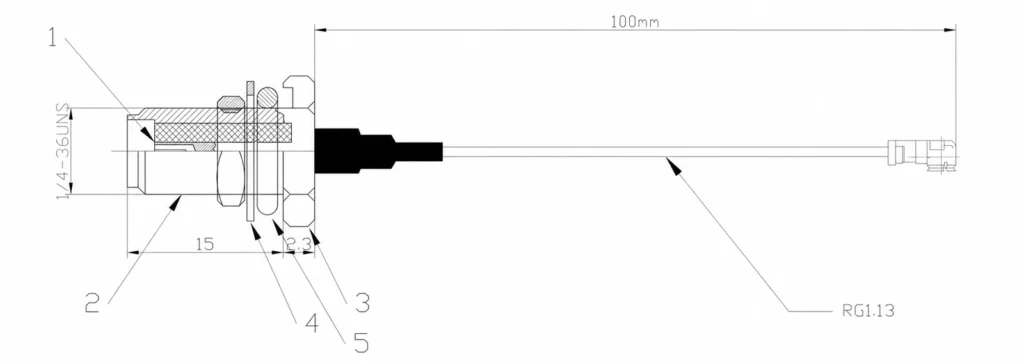
Match connector series, gender, and polarity carefully. SMA and RP-SMA are not interchangeable, and a physically similar connector is not proof of RF compatibility.
Cable type and length also matter. Loss rises with frequency and distance, so an excellent outdoor antenna can underperform if a long, high-loss cable removes the link-budget advantage before the signal reaches the modem.
You can estimate this yourself instead of trusting a generic number:
Total cable loss (dB) ≈ loss per metre at your highest operating band × cable length (m)
Cable datasheets publish loss per metre at specific frequencies, so use the figure for the highest band in your list — that is your worst case. Treat the result as an engineering estimate rather than a measured value, and remember that every extra 3 dB of loss halves the power reaching the modem. A 10 m run of thin cable at 2.6 GHz can easily cost more than the gain printed on the antenna.
- Antenna form factor and radiation pattern
Choose the antenna for the deployment, not just the network generation:
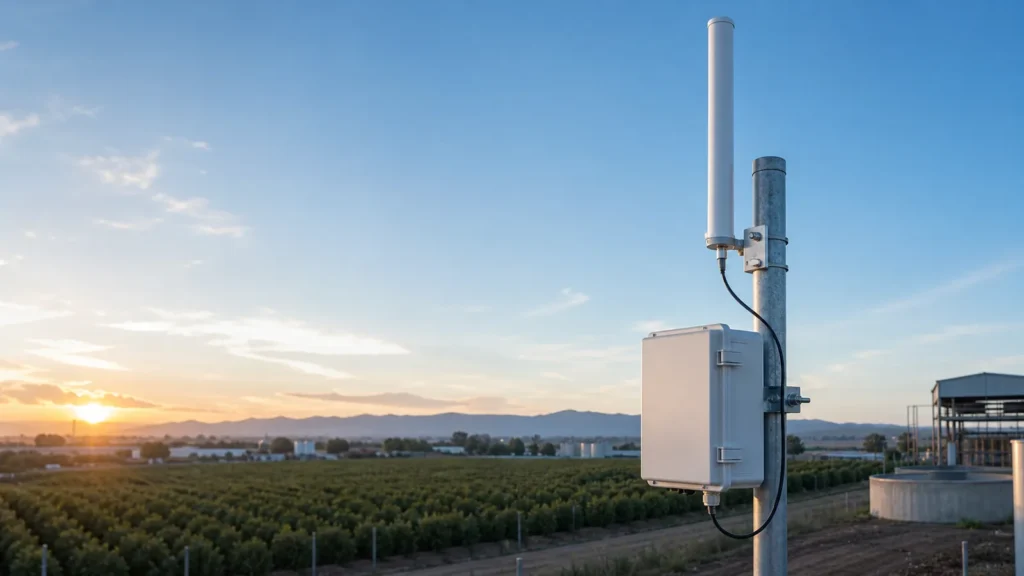
- An omnidirectional antenna can suit mobile equipment or sites that need coverage around the installation.
- A directional panel or log-periodic antenna can help a fixed site focus on a known cell direction.
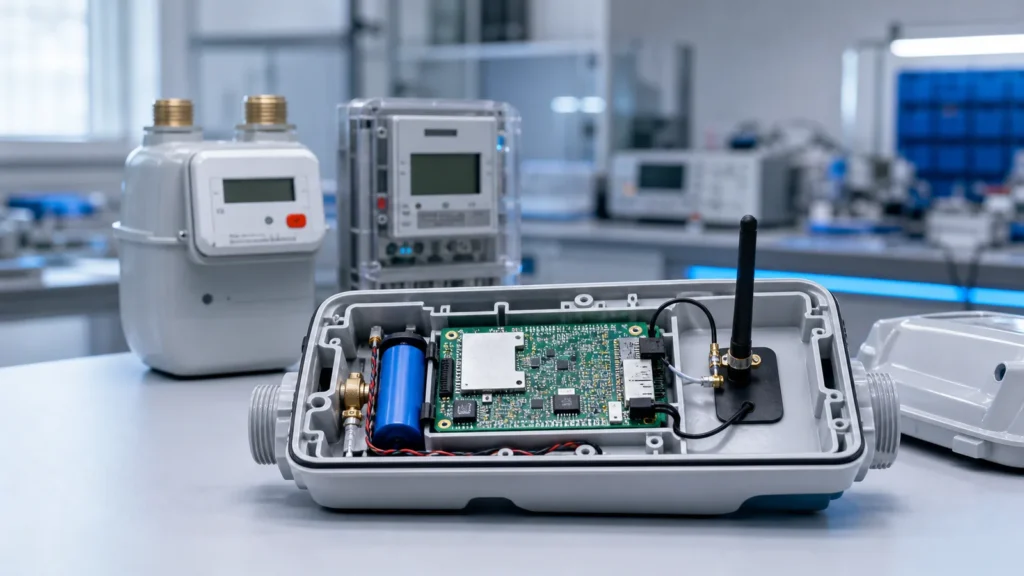
- An embedded antenna must be evaluated in the final enclosure because nearby batteries, displays, metal, and PCB ground affect tuning and efficiency.
- An outdoor antenna needs suitable environmental protection, mounting hardware, strain relief, and connector weatherproofing.
- Installation and coexistence
Maintain the antenna spacing and orientation required by the modem and antenna design. Consider nearby metal, other radios, cable routing, and the installation surface. For products that combine LTE, GNSS, Wi-Fi, or 5G, confirm isolation and port identification rather than assuming one radiator covers every function equally well.
For a deeper hardware explanation, see what an LTE antenna does. To compare available form factors and frequency coverage, review our 4G LTE antenna options. If the project is moving to a newer modem, use the separate 4G vs 5G antenna guide instead of treating 5G as another LTE label.

Cross-Band Carrier Aggregation Is the Hidden Antenna Requirement
Most buying guides stop at “check the frequency range.” Carrier aggregation quietly makes that advice insufficient.
When a network aggregates carriers in different bands — for example a low band around 700–800 MHz together with a mid band near 1.8 or 2.6 GHz — the modem is receiving on both at the same time. A single antenna covering that spread must be efficient at both ends simultaneously, not just resonant somewhere in between.
This is where wideband antennas usually disappoint. A part labelled “698–2700 MHz” is electrically small at the low end relative to wavelength, so efficiency there is typically the weakest point of the design, especially for embedded and compact outdoor products. If the aggregated low-band carrier is the anchor, weak low-band efficiency limits the whole connection even though the datasheet range looks complete.
Three checks that prevent this:
- Ask for efficiency or gain per band, not a single peak value or a bare frequency range.
- Confirm which bands your operator actually aggregates in the deployment country, and treat those as mandatory bands.
- Keep the required port count and spacing for the modem’s MIMO configuration; aggregation and MIMO both depend on genuinely independent RF paths.

A Practical 4G/LTE Antenna RFQ Checklist
Send the following information when asking an antenna supplier to recommend a model:
- Modem or router manufacturer and exact model
- Deployment country and mobile operator
- Required LTE bands or operating frequency ranges
- Number and purpose of cellular RF ports
- Required connector and cable length
- Indoor, outdoor, vehicle, cabinet, PCB, or other mounting location
- Space limits and preferred antenna form factor
- Environmental requirements such as temperature, water ingress, vibration, or UV exposure
- Certification or compliance requirements
- Project quantity and development stage
This information is more valuable than asking for a “4G antenna” or an “LTE antenna” with no context.
Frequently Asked Questions
Is LTE the same as 4G?
Not exactly. 4G is a mobile-network generation; LTE is a specific cellular technology used to deliver fourth-generation mobile broadband. Initial LTE preceded the formal IMT-Advanced version, while LTE-Advanced met the IMT-Advanced criteria. In everyday use, LTE, 4G, and 4G LTE are often used for closely related services.
Does LTE mean I have 4G?
In normal carrier and device language, an LTE indicator generally represents a fourth-generation cellular connection. The exact label is carrier- and device-dependent, and it does not identify the LTE release, band, carrier aggregation, or expected speed.
Is LTE slower than 4G?
There is no universal answer because the terms are not two directly competing network technologies. Early LTE and advanced LTE configurations can perform very differently. Spectrum, modem features, MIMO, signal quality, congestion, and backhaul determine the result.
Why does my phone show LTE instead of 4G?
The carrier or device software may use LTE as its preferred label for the connected radio technology. That alone does not mean the phone has dropped to 3G. Check actual signal and network information if service has degraded.
Are 4G and LTE antennas different?
Usually those product names overlap. The correct antenna is the one whose frequency bands, RF-port count, MIMO arrangement, connector, cable, form factor, and environmental design match the modem and installation.
What Actually Matters for the Antenna
4G and LTE are related, but they are not synonyms at the standards level. 4G describes a generation; LTE describes the cellular technology that became the main route to fourth-generation mobile broadband, and LTE-Advanced formally met the IMT-Advanced criteria.
For an RF project, do not let the network label make the hardware decision. Match the antenna to the modem’s bands and ports, then validate the cable, connector, mounting, environment, and installed RF performance.
Need help narrowing the options? Send Global RF Tech your requirements, including the modem model, target country or carrier, LTE bands, RF-port count, connector, cable length, mounting conditions, and quantity. Our team can review them against an existing model or a custom antenna path.
Technical References
- ITU global standard for IMT-Advanced
- ITU announcement of the first IMT-Advanced technologies
- 3GPP: Carrier Aggregation on Mobile Networks
- 3GPP: LTE-Advanced overview
Ask our AI antenna assistant. Enter a keyword or question for a free answer based on this article, Global RF Tech content, and general antenna/RF knowledge.
Do not submit confidential or personal information. Privacy Policy